Bank statements in. Checked Excel out.
Turn one difficult statement into checked CSV and Excel. Review the extraction, then download the complete workbook at no charge during open access.
Full export free nowStandard pricing from US$1.99No account required
FolioParse Converter
Your document, ready for Excel.
PDF, protected PDF, image, CSV, TXT or Excel. No account required.
- Privacy
- Files deleted after 24 hours
- Validation
- Dates, amounts and balances checked
- Output
- XLSX, CSV and JSON · OFX/QIF when currency is detected
Encrypted transferNo signupPreview before download
Open-access period: successful conversions can be downloaded free. Standard pricing from US$1.99 is shown for transparency but is not charged now.
The deliverable
A workbook you can actually use.
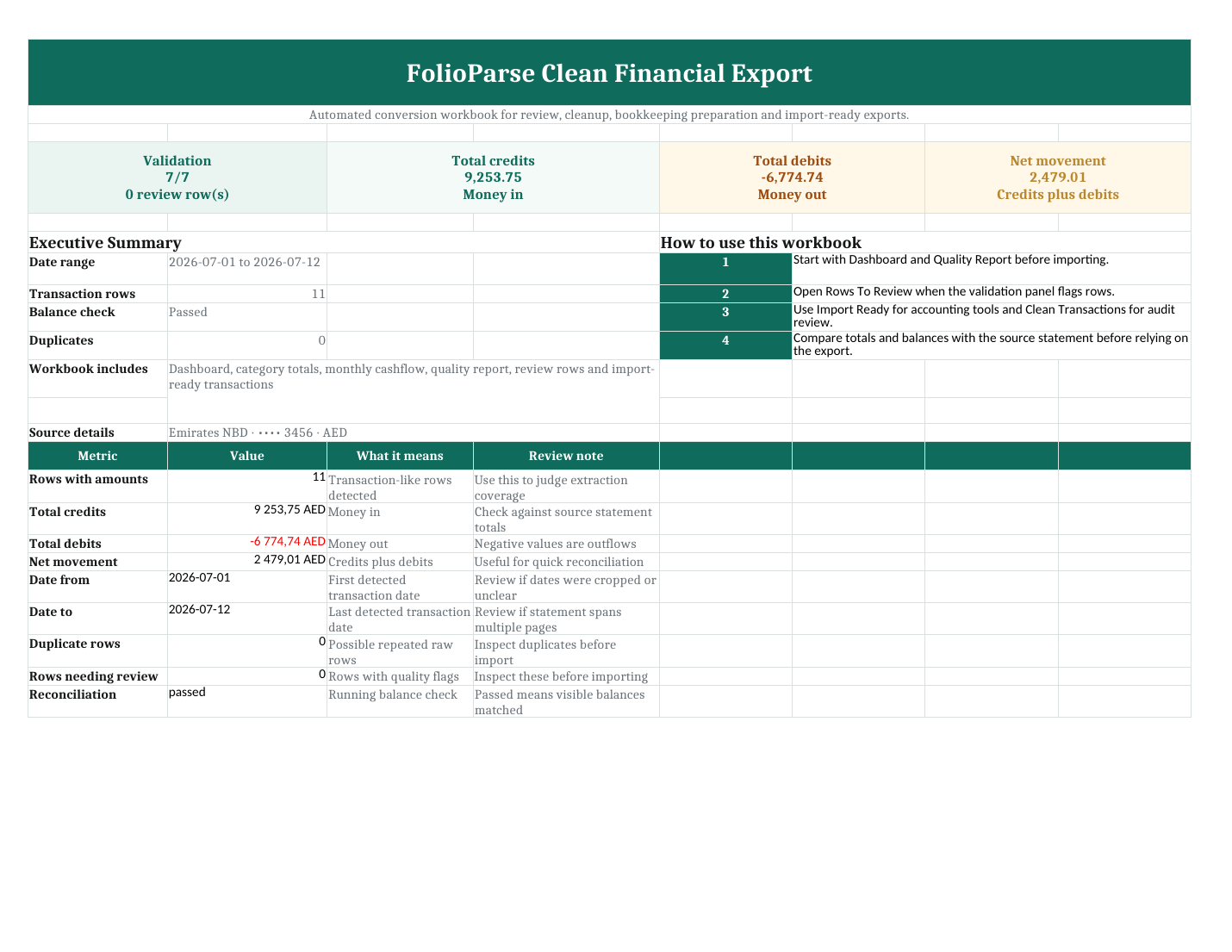
Summary, validation and import-ready transactions arrive in one structured file.
Dashboard and cashflow summary
Separate debit, credit and balance columns
Categories, merchant cleanup and review flags
Download the actual sample XLSX
Preview firstJudge the extraction before relying on it.
Built-in checksPotential gaps and balance issues are surfaced.
Built for a one-off jobNo login or subscription. Full exports are temporarily free during open access.
Standard per-file pricing
Published now. Waived during open access.
These are the intended per-file prices after paid access resumes. Today, successful exports are unlocked free with no account or subscription.
Files above 2,500 extracted transactions are not available for export.
Open-access downloads are available only when the preview passes the quality gate. Weak or inconsistent results are blocked rather than presented as reliable exports.
Open-access period
Payment collection is paused while the service's commercial setup is reviewed. You can still test successful conversions and download the complete export pack free.
Report a conversion issue
Before uploading
Clear answers.
Are my files retained?
Uploads and generated files are automatically deleted after 24 hours.
Can it open protected PDFs?
Yes. The password is used for that conversion only and is never stored.
Is the workbook an official record?
No. It is an automated working file that must be checked against the source statement.
What works best?
Readable bank or card statements with visible dates, descriptions, amounts and balances.
Which currencies are shown?
The document currency is detected from the statement. Standard future prices can be viewed in USD, EUR, GBP or AED, while open-access exports remain free.
What if an export is not usable?
Contact support with the order reference. We use reported conversion failures to improve format coverage and can help determine whether a better source file may work.
FolioParse prepares automated working files, not accounting, tax or legal advice.